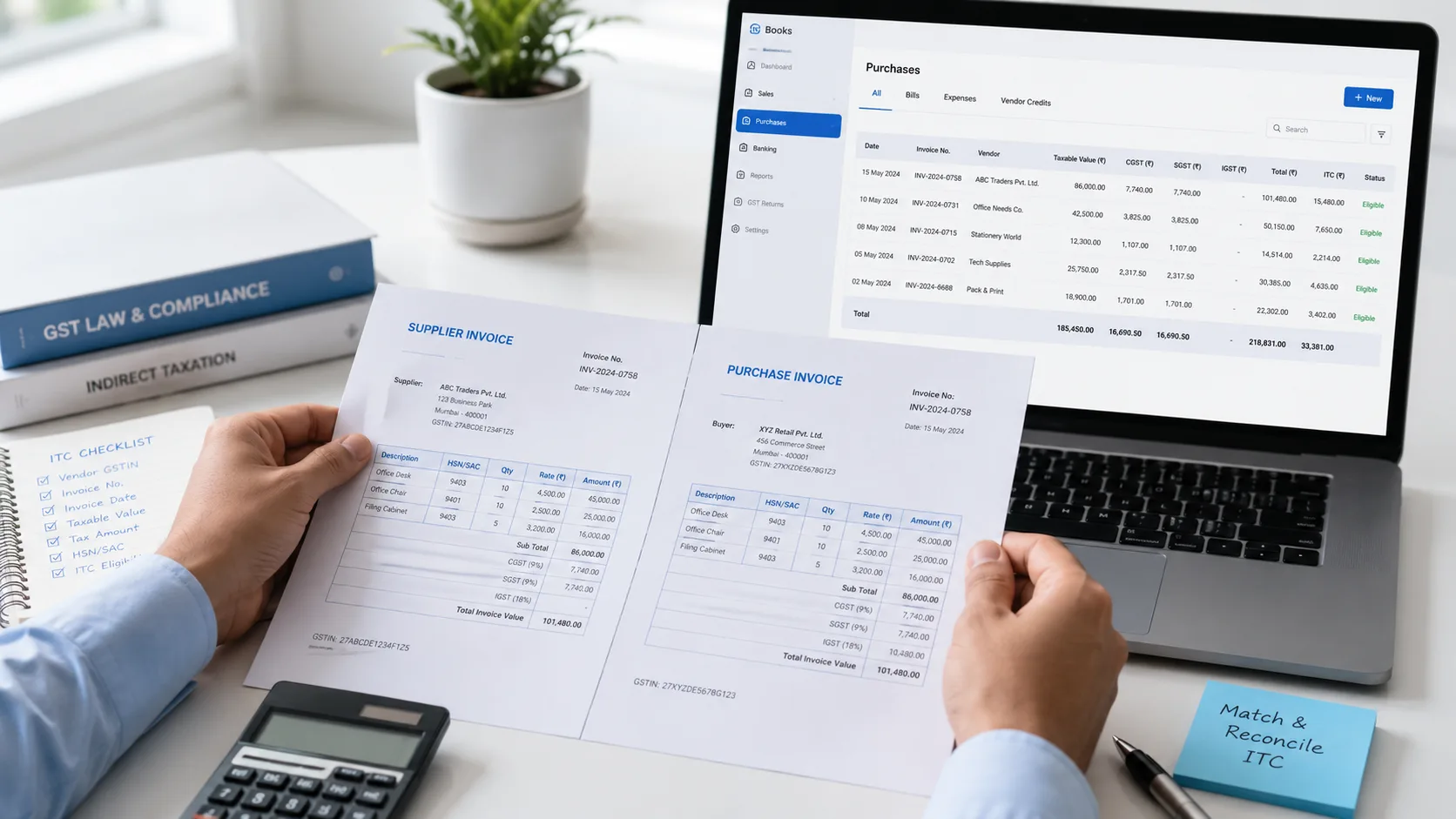
The electronic credit ledger is your input tax credit (ITC) account on the GST portal. The ITC you claim in GSTR-3B goes into it, and it can pay only GST. The electronic cash ledger holds the money you deposit by challan, and it can pay anything: tax, interest, late fee and penalty. The liability register shows what you owe.
These three are the electronic ledgers (e-ledgers) of GST. The GST portal keeps them for every registered taxpayer, and you cannot type entries into them yourself. This guide shows what each one holds, what it can pay, how to view and download it, how to check your ITC balance, what blocked credit means, and how to get back extra money from the cash ledger.
- Electronic credit ledger: holds your ITC. It pays only output tax, never interest, late fee or penalty.
- Electronic cash ledger: holds money you deposit by challan, plus GST TDS and TCS credit you accept. It pays any GST dues.
- Electronic liability register: shows what you owe. Part I is for returns, Part II is for everything else, like demand orders.
- See them after login: Services, then Ledgers. You can view up to 12 months at a time.
- An officer can block ITC in your credit ledger for up to one year if the credit looks fake or ineligible.
- Extra money in the cash ledger can be refunded by filing Form GST RFD-01. The two-year time limit for refunds does not apply to it.
What are the electronic ledgers in GST?
GST law asks the portal to keep three records for each taxpayer: an electronic cash ledger, an electronic credit ledger and an electronic liability register (section 49 of the CGST Act). The GST system fills them in. You only view them.
| Electronic credit ledger | Electronic cash ledger | Electronic liability register | |
|---|---|---|---|
| What it holds | Your input tax credit | Money you paid in, and GST TDS and TCS credit | What you owe |
| How it fills up | ITC you claim in GSTR-3B | Challan payments (Form GST PMT-06), accepted TDS and TCS | Tax, interest and late fee from your returns; demands from orders |
| What it pays | Output tax only | Tax, interest, late fee, penalty and other dues | It is paid from the other two |
| Heads | IGST, CGST, SGST/UTGST, Cess | Same 4 heads, each split into Tax, Interest, Penalty, Fee and Others | Part I (returns) and Part II (other dues) |
| Form under the rules | GST PMT-02 | GST PMT-05 | GST PMT-01 |
| Refund of balance | Only in some cases (exports, inverted duty) | Yes, the extra balance, any time | Not a balance account |
When you file GSTR-3B, the portal takes what you owe from the liability register and pays it from your credit ledger and cash ledger.
Electronic credit ledger in GST
The electronic credit ledger is where your input tax credit (ITC) is kept. When you claim ITC in your GSTR-3B, the law credits that amount to this ledger (section 49(2)). The portal keeps it head by head: IGST, CGST, SGST (or UTGST) and Cess.
What the credit ledger can pay:
- Output tax only. That is the GST on your own sales.
- Not interest, late fee or penalty. The GST portal says: "Balance in credit ledger cannot be utilized for payment of fees, Penalty and interest." These are paid from the cash ledger.
- Not tax under reverse charge. Reverse charge tax is paid in cash. See cash or credit when you pay GST.
- Cess credit pays only cess.
Which credit pays which tax. IGST credit is used first. CGST credit cannot pay SGST, and SGST credit cannot pay CGST. Our GST set off calculator shows the full order with examples.
The 99% limit. Some larger businesses (taxable sales above ₹50 lakh in a month) cannot pay more than 99% of their output tax from the credit ledger, under rule 86B. There are exceptions, for example for those who paid more than ₹1 lakh income tax in each of the last two years. The set off calculator page explains this rule.
Who does not have a credit ledger. The GST portal says it is not kept for composition taxpayers, Input Service Distributors (ISD), tax deductors and e-commerce operators.
You cannot edit it. No entry can be made in the credit ledger directly, except as the rules allow (rule 86(5)). If you see a wrong entry, report it (see "Wrong entry in a ledger" below).
Provisional credit and blocked credit
When you open the credit ledger, the portal shows three balances: the credit balance as on today's date, the Provisional Credit Balance and the Blocked Credit Balance.
Provisional credit balance. The GST portal says these tables "display the balance of provisional and mismatch credit, tax period wise". Path: Services, Ledgers, Electronic Credit Ledger, Provisional Credit Balance.
Blocked credit (rule 86A). A tax officer can block ITC in your credit ledger. Then you cannot use that credit to pay tax or claim a refund. Under rule 86A, the Commissioner, or an officer he authorises who is not below the rank of Assistant Commissioner, can do this when there is reason to believe the credit was taken by fraud or is not eligible, for example because:
- the supplier does not exist, or no goods or services were received;
- the supplier did not pay the tax charged on the bill;
- the person taking the credit does not exist or does no business from any place; or
- the person taking the credit does not have the tax invoice or other document needed.
The officer must record the reasons in writing. The block ends after one year, or earlier if the officer finds the reasons no longer exist. The portal sends an email and SMS when credit is blocked or unblocked. Path to see it: Services, Ledgers, Electronic Credit Ledger, Blocked Credit Balance.
Why the balance can go negative. An officer can block more than you have in the ledger. The GST portal's own example: your balance is ₹100 and ₹120 is blocked, so the ledger shows less ₹20 (a negative ₹20). If ₹30 of new credit comes in later, ₹20 of it covers the negative, and your usable balance becomes ₹10. A negative balance cannot be used to pay anything.
Electronic cash ledger in GST
The electronic cash ledger shows all the money you have put in for GST. The GST portal calls it "a summary of all the deposits/payments made by a taxpayer".
How money comes into it:
- Challan payments. You create a challan (Form GST PMT-06) and pay it. When the bank sends the payment number (CIN) to the GST system, the amount is added to your cash ledger. The portal says it updates "on a near real time basis". See how to pay GST online for the steps.
- GST TDS and TCS. Tax deducted (TDS) or collected (TCS) from your payments reaches your cash ledger once you accept it on the portal.
Heads. The cash ledger has four main heads: IGST, CGST, SGST/UTGST and Cess. Each one is split into five smaller heads: Tax, Interest, Penalty, Fee and Others. Money sits under the head you paid it into.
What the cash ledger can pay. Any GST dues: tax, interest, late fee, penalty and other amounts (section 49(3)). Tax under reverse charge, and GST TDS or TCS that you must deposit, are paid only from the cash ledger (rule 85(4)).
Paid under the wrong head? Money under one head cannot pay a due under another head. To move it, file Form GST PMT-09. See moving money with PMT-09.
Paid tax early, but filing late? Money that reaches your cash ledger by the due date, and stays there until you file, is not counted when interest is worked out. More in interest on late payment.
Extra money stays there. If you paid more than you needed, the extra stays in the cash ledger and can pay later dues. You can also ask for a refund (see below).
Electronic liability register in GST
The electronic liability register (also called the electronic liability ledger) shows what you owe under GST. The portal fills it in, and you cannot make any entry in it directly.
| Part | What it shows |
|---|---|
| Part I: Return related liabilities | Tax, interest and late fee from your returns, such as GSTR-3B, GSTR-4, GSTR-9 and GSTR-10 |
| Part II: Other than return related liabilities | Mostly amounts from assessment, adjudication and appeal orders |
When you pay, the register shows a debit (what became payable) and a credit (what was paid). The portal uses these short forms: DR is debit (payable), CR is credit (paid), RD is reduction and RF is refund adjusted. If an appeal reduces a demand, the register is reduced too (rule 85(5)).
Which dues are paid first. Old dues come first. The law says self-assessed tax of earlier periods is paid first, then the current period, then other amounts such as demands (section 49(8)).
Path: Services, Ledgers, Electronic Liability Register, then choose Part-I: Return related liabilities or Part-II.
How to view and download your GST ledgers
All three ledgers are on the GST portal after you log in. They are not shown without login.
- Go to www.gst.gov.in and log in.
- Click Services, then Ledgers.
- Choose Electronic Cash Ledger, Electronic Credit Ledger or Electronic Liability Register.
- To see entries, choose the From and To dates and click GO. Scroll right for more columns.
Rules for viewing:
- You can view a ledger for up to 12 months at a time. For a longer period, view it in parts.
- The credit ledger can be saved as PDF or CSV, and the liability register as PDF or Excel.
- Who can see them: you and your authorised signatories, and your tax officer. A GST Practitioner you have authorised can also see your credit ledger and liability register.
How to check your ITC balance on the GST portal
Your ITC balance is the balance in your electronic credit ledger.
- Log in at www.gst.gov.in.
- Click Services, then Ledgers, then Electronic Credit Ledger.
- The portal shows the credit balance as on today's date, head by head (IGST, CGST, SGST/UTGST, Cess), with the provisional and blocked credit balances.
- To see how the balance moved, click Electronic Credit Ledger, choose the dates and click GO.
This balance is the credit you have already claimed. Credit from your suppliers' bills for the current month is not in it until you claim it in GSTR-3B. For which ITC you can claim, see our input tax credit guide.
Our reading: people searching "how to check ITC in GST portal" usually want either this balance or the credit available from suppliers for the month. This section covers the balance; the input tax credit guide covers claiming.
ITC reclaim and RCM statements
Next to the three ledgers, the portal now keeps two statements for ITC under Services, Ledgers:
- Electronic Credit Reversal and Re-claimed Statement. It tracks ITC you reversed in GSTR-3B that you can claim back later.
- RCM Liability/ITC Statement. It tracks reverse charge tax you paid (GSTR-3B Table 3.1(d)) against the ITC you claimed on it (Table 4A(2) and 4A(3)). It applies from the August 2024 tax period for monthly filers and the July to September 2024 quarter for quarterly filers.
GSTN's advisory of 29 December 2025 says GSTR-3B will be blocked if you reclaim more ITC than the reversal statement allows, or claim more reverse charge ITC than the reverse charge tax you paid plus the statement's balance. That advisory did not give a start date, and we have not found an official start date as of 20 October 2026. Check both statements before you file.
Refund of balance in the cash ledger or credit ledger
Cash ledger: you can get the extra money back. Section 49(6) allows a refund of the balance left in the cash ledger after your dues are paid. On the portal:
- Log in and go to Services, then Refunds, then Application for Refund.
- Choose Excess Balance in Electronic Cash Ledger and click CREATE REFUND APPLICATION.
- Enter the amount to claim under IGST, CGST, SGST/UTGST and Cess. It cannot be more than the balance under that head.
- Upload any documents, tick the declaration and choose the authorised signatory.
- File with DSC or EVC. You get an ARN on screen and by email and SMS.
The amount you claim is taken out of the cash ledger when you file. If the officer rejects the refund, the amount is put back by an order in Form GST PMT-03 (rule 87(11)).
Before you apply: all returns that were due must be filed. The portal also asks for the latest GSTR-3B for the period to be filed.
No two-year limit. CBIC Circular 166/22/2021-GST (17 November 2021) says the time limit in section 54(1) does not apply to a refund of extra balance in the cash ledger. You do not have to claim a refund at all: the money can stay and pay future dues.
Credit ledger: refund only in two cases. Unused ITC is refunded only for zero-rated supplies (such as exports) made without paying tax, and where the tax rate on your inputs is higher than on your output (inverted duty), as section 54(3) allows. In all other cases, the credit stays in the ledger for future tax.
Can money move between the ledgers or to your bank? No. Credit in the credit ledger cannot be turned into cash, and money in the cash ledger cannot become ITC. The only way to take money out of the cash ledger to your bank is a refund.
Wrong entry in a ledger, or payment not showing
Wrong entry. If you see a mistake in your cash ledger, credit ledger or liability register, tell your tax officer through the GST portal in Form GST PMT-04 (rules 85(7), 86(6) and 87(12)).
Paid, but the money is not in the cash ledger. The bank usually sends the payment details at once, but there can be delays. The GST portal says to raise a grievance 24 hours after the successful payment message. That grievance is Form GST PMT-07. Our guide to money debited but not credited shows the steps.
Frequently asked questions
What is the electronic credit ledger in GST?
It is your input tax credit account on the GST portal. The ITC you claim in GSTR-3B is credited to it, head by head (IGST, CGST, SGST/UTGST and Cess), and you use it to pay output tax.
What is the electronic cash ledger in GST?
It shows the money you have deposited for GST through challans, plus GST TDS and TCS credit you have accepted. You can use it to pay tax, interest, late fee, penalty and other dues.
What is the difference between the cash ledger and the credit ledger?
The cash ledger holds money you paid in and can pay any GST dues. The credit ledger holds input tax credit and can pay only output tax, not interest, late fee, penalty or reverse charge tax.
What is the electronic liability ledger?
It is the electronic liability register. It shows what you owe: Part I for return dues and Part II for other dues such as demands from orders.
What are the three types of e-ledgers in GST?
The electronic cash ledger, the electronic credit ledger and the electronic liability register.
How can I download my electronic credit ledger?
Log in at gst.gov.in, go to Services, Ledgers, Electronic Credit Ledger, choose dates (up to 12 months) and click GO. You can save it as PDF or CSV.
How do I check my electronic cash ledger?
Log in at gst.gov.in and go to Services, Ledgers, Electronic Cash Ledger. The cash balance as on today is shown. Choose dates and click GO to see the entries.
How do I check my ITC balance on the GST portal?
Log in and go to Services, Ledgers, Electronic Credit Ledger. The portal shows today's credit balance with the provisional and blocked credit balances.
Can the credit ledger pay interest or late fee?
No. The GST portal says the credit ledger balance cannot be used for fees, penalty and interest. Pay these from the cash ledger.
How do I use the electronic credit ledger balance?
When you file GSTR-3B, the portal uses your credit ledger balance to pay output tax, in the order the law sets (IGST credit first). Any tax left over is paid from the cash ledger.
Can I get a refund of the electronic cash ledger balance?
Yes. File Form GST RFD-01 on the portal under "Excess Balance in Electronic Cash Ledger". The two-year time limit does not apply to it. You can also leave the money there for future dues.
Can I get a refund of the electronic credit ledger balance?
Only for zero-rated supplies such as exports made without paying tax, or where inputs are taxed at a higher rate than your output (inverted duty). Otherwise the credit stays for future tax.
Can I transfer money from the cash ledger to my bank account?
Not directly. The only way is to file a refund application for the extra balance.
What is blocked credit in the electronic credit ledger?
It is ITC an officer has stopped you from using under rule 86A, because the credit looks fake or ineligible. The block lasts up to one year. The blocked amount can even make your ledger balance negative.
Who maintains the electronic ledgers?
The GST system on the GST portal. You cannot make or edit entries yourself. A wrong entry is reported in Form GST PMT-04.
Hinglish mein sawaal
Electronic cash ledger kya hai?
Yeh GST portal par aapka cash account hai. Challan se jo paisa aap jama karte hain, woh isme aata hai. Isse tax, interest, late fee aur penalty, sab bhar sakte hain.
Electronic credit ledger ka matlab kya hai?
Yeh aapka input tax credit (ITC) account hai. GSTR-3B mein jo ITC claim karte hain, woh isme jaata hai. Isse sirf output tax bhar sakte hain, interest ya late fee nahi.